10 Best Personal Finance Apps of 2026 (Tested & Ranked — No Affiliate Fluff)
In this article+
- What Actually Makes a Great Personal Finance App in 2026
- 1. Cashy — Best Overall for iPhone Users Who Value Privacy
- 2. YNAB (You Need A Budget) — Best for Hardcore Zero-Based Budgeters
- 3. Monarch — Best Net Worth & Household Finance Tool
- 4. Copilot Money — Best Native iOS Experience for Power Users
- 5. PocketGuard — Best for 'Can I Afford This?' Quick Checks
- 6. Spreadsheets — Still the Free, Infinitely Customizable Option
- The Honest Decision Matrix
- Two Things the Best Apps Have in Common
If you've searched for the best personal finance app this year, you've already noticed the problem: most articles are recycled affiliate-link lists, ranking apps by who pays highest commission. No real usage. No real opinions.
This is different. What follows is an honest look at the personal finance apps that matter in 2026 — their strengths, their annoyances, and who each one is actually for. No sponsored placements. No fake scores. Just what we'd tell a friend.
What Actually Makes a Great Personal Finance App in 2026
Before ranking anything, it's worth agreeing on what matters. After years of testing dozens of apps, the criteria that separate the good from the forgettable always come back to these six:
- Speed of entry. If logging a transaction takes more than 5 seconds, you will quit within two weeks.
- Privacy. Does your spending data leave your device? Who sees it? Is it sold?
- Bank-linking policy. Some apps force bank sync. Others make it optional. The best make it irrelevant.
- Reports that say something. Charts are easy. Insight is hard.
- Multi-currency support. Travelers, expats, and freelancers all need it.
- Honest pricing. No dark patterns, no surprise price hikes, no "premium" for basic features.
With that lens, here's how the field stacks up.
1. Cashy — Best Overall for iPhone Users Who Value Privacy
Cashy is the app we build, so we'll keep this brief and objective.
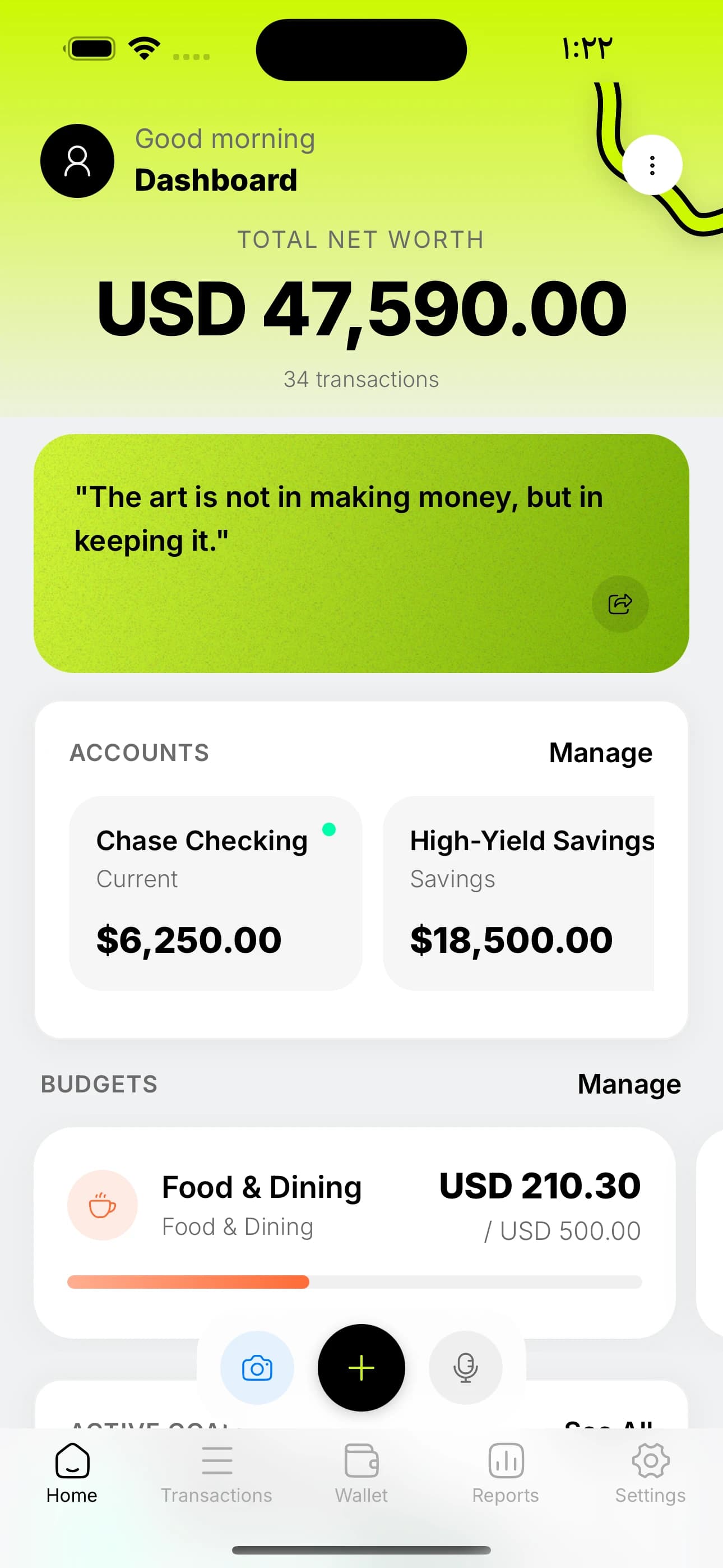
Cashy is aimed at people who want a genuinely private, AI-powered personal finance tracker without bank linking. Everything lives on your device. You can log an expense by voice in 3 seconds ("spent 47 on groceries"), scan a receipt with Gemini AI, track subscriptions, build budgets and savings goals, and customize a dashboard of 11 widgets. It supports 150+ currencies, English and Arabic with full RTL, and it works entirely offline.
Best for: iPhone users who want control, clarity, and privacy without an annual CSV export ritual. Price: Free tier is genuinely usable. Premium is $3/month, $30/year, or $60 lifetime. Weakness: iOS only (for now). No Android yet. No automatic bank sync by design.
2. YNAB (You Need A Budget) — Best for Hardcore Zero-Based Budgeters
YNAB has the most opinionated budgeting philosophy in the industry: give every dollar a job. If you love the idea of zero-based budgeting and actively enjoy sitting down once a week to assign money, YNAB rewards the effort. The envelope-style workflow is legitimately best-in-class.
Trade-offs are real, though. It's $99/year (or $14.99/month), there's a learning curve, and the mobile app leans heavily on the web experience. Bank linking is the default, which is great for some users and a deal-breaker for others.
Best for: Budget obsessives who want a system, not just a tracker. Weakness: Price. Learning curve. Bank linking is effectively required to get the most out of it.
3. Monarch — Best Net Worth & Household Finance Tool
Monarch filled part of the vacuum left when Mint shut down. It's a solid all-in-one dashboard: bank links, investments, net worth, shared household budgeting, and clean reporting.
The subscription ($14.99/month or $99/year) is steep, and bank-linking issues are a common complaint (not Monarch's fault — that's just how aggregators are in 2026). If you want a web-first household finance hub and don't mind the price, it's a strong pick.
Best for: Couples and households who want shared budgeting and net-worth tracking. Weakness: Expensive. Web-centric. Heavy reliance on third-party aggregators.
4. Copilot Money — Best Native iOS Experience for Power Users
Copilot Money has a polished, designer-first iOS interface and solid automation. If you love Apple Card and want everything pulled in automatically, Copilot is quietly one of the most beautiful apps in the category.
It's US-only, subscription-based, and heavily dependent on bank aggregation. Great for people who are fine handing over bank credentials for auto-sync; not great for people outside the US or who prefer manual control.
Best for: US-based iPhone users who want a beautiful, mostly-automatic experience. Weakness: US-only. Bank-link dependent. Subscription pricing.
5. PocketGuard — Best for 'Can I Afford This?' Quick Checks
PocketGuard focuses on one simple question: how much can you safely spend right now? It calculates a 'safe to spend' number by subtracting bills, goals, and necessities from your balance.
It's useful as a mental brake but light on deeper analysis. Good on-ramp; you'll likely outgrow it.
Best for: Beginners who want a single number, not a dashboard. Weakness: Shallow reporting. Bank linking required for the best experience.
6. Spreadsheets — Still the Free, Infinitely Customizable Option
No list is complete without the honest truth: a Google Sheet or Excel template with formulas is still incredibly powerful, free forever, and completely private. If you love spreadsheets, don't let anyone shame you into a $99/year subscription.
The catch is the friction. Every transaction is a manual row. Most people quit within a month.
Best for: Tinkerers, analysts, and people who genuinely enjoy the craft. Weakness: No automation, no AI, no mobile-first entry.
Make this real — try Cashy free.
Voice entry, receipt scanning, budgets. No bank linking, no ads.

The Honest Decision Matrix
Instead of crowning a single 'winner,' match your priorities:
- You want privacy and no bank linking → Cashy
- You want to force yourself into zero-based budgeting → YNAB
- You want a shared household hub → Monarch
- You want a beautiful US-only auto-synced dashboard → Copilot Money
- You want one safe-to-spend number → PocketGuard
- You want total control and zero subscription → Spreadsheets
Two Things the Best Apps Have in Common
After testing all of these for months, two patterns emerge. First, the apps you stick with are the ones that take less than 5 seconds to log a transaction. Friction is the silent killer. Second, the apps that change your behavior are the ones with visible progress — budgets that fill up, goals that tick closer, net worth that climbs. Without that feedback loop, you're just filing paperwork on yourself.
If those two things — fast entry and visible progress — matter to you, and you're on iPhone, try Cashy for a week. It's free to start, there's no bank linking, and your data never leaves your device. If you don't love it, uninstall. No refund form, no dark-pattern cancellation flow.
The best personal finance app in 2026 is the one you open tomorrow morning. Pick one from this list and actually use it for 30 days. You'll learn more about your money in a month than you have in the last decade.
Frequently asked questions
What is the best personal finance app in 2026?
+
For iPhone users who value privacy, speed, and a free starting point, Cashy is the best overall choice in 2026. YNAB is the best for strict zero-based budgeting if you can pay $99/year. Monarch is the best for households with shared finances.
Are there free personal finance apps that are actually good?
+
Yes. Cashy has a genuinely usable free tier including AI voice entry, receipt scanning, and full reports. Most other "free" apps either heavily restrict features or monetize through bank-linked ads.
Which personal finance app is the best Mint replacement?
+
For privacy-first users on iPhone, Cashy is the closest free Mint replacement. For households who want auto bank sync, Monarch Money is the closest paid replacement.
Do I need a bank-linked finance app?
+
No. Many users prefer manual or AI-assisted entry because it is more private, more accurate, and more aware. Apps like Cashy use voice entry to make logging take only 3 seconds, which removes the main reason people used to want auto-sync.
How much does the average personal finance app cost in 2026?
+
Range: free to $14.99/month. Cashy is free or $30/year. YNAB is $99/year. Monarch is $99/year. Copilot is ~$95/year. Spreadsheets are free forever.