Best Budgeting App for iPhone 2026: I Tested 12 Apps for 90 Days (Honest Winner)
In this article+
Every year, the App Store fills up with new 'best budgeting app for iPhone' contenders. Most vanish. A few stick around. And one or two quietly change how people manage their money.
This isn't a list of twenty apps with three-sentence summaries. It's the outcome of a 90-day side-by-side test — the same income, the same expenses, the same lifestyle — across the most popular iPhone budgeting apps of 2026. Real usage. Real opinions.
What Makes a Budgeting App 'Best' on iPhone Specifically
iPhone is its own category. The best iPhone budgeting app in 2026 isn't just 'the best finance app with an iOS version.' It's one that takes advantage of what iPhone does uniquely well:
- Home Screen widgets — a live budget status widget is worth more than any dashboard.
- iOS 26 design — Liquid Glass, native tabs, proper dark mode.
- Voice input via Siri & on-device speech — iPhone's microphone and permissions make voice entry fast and private.
- Face ID / Touch ID — an app with financial data should lock quietly and reliably.
- Privacy — iPhone users care about this more than any other platform. An app that sends your spending data to the cloud by default feels wrong.
- Speed — native-feeling transitions, haptics, and offline behavior.
Judged on those iPhone-specific criteria, the ranking shifts dramatically from generic 'best finance app' lists.
The Winner: Cashy
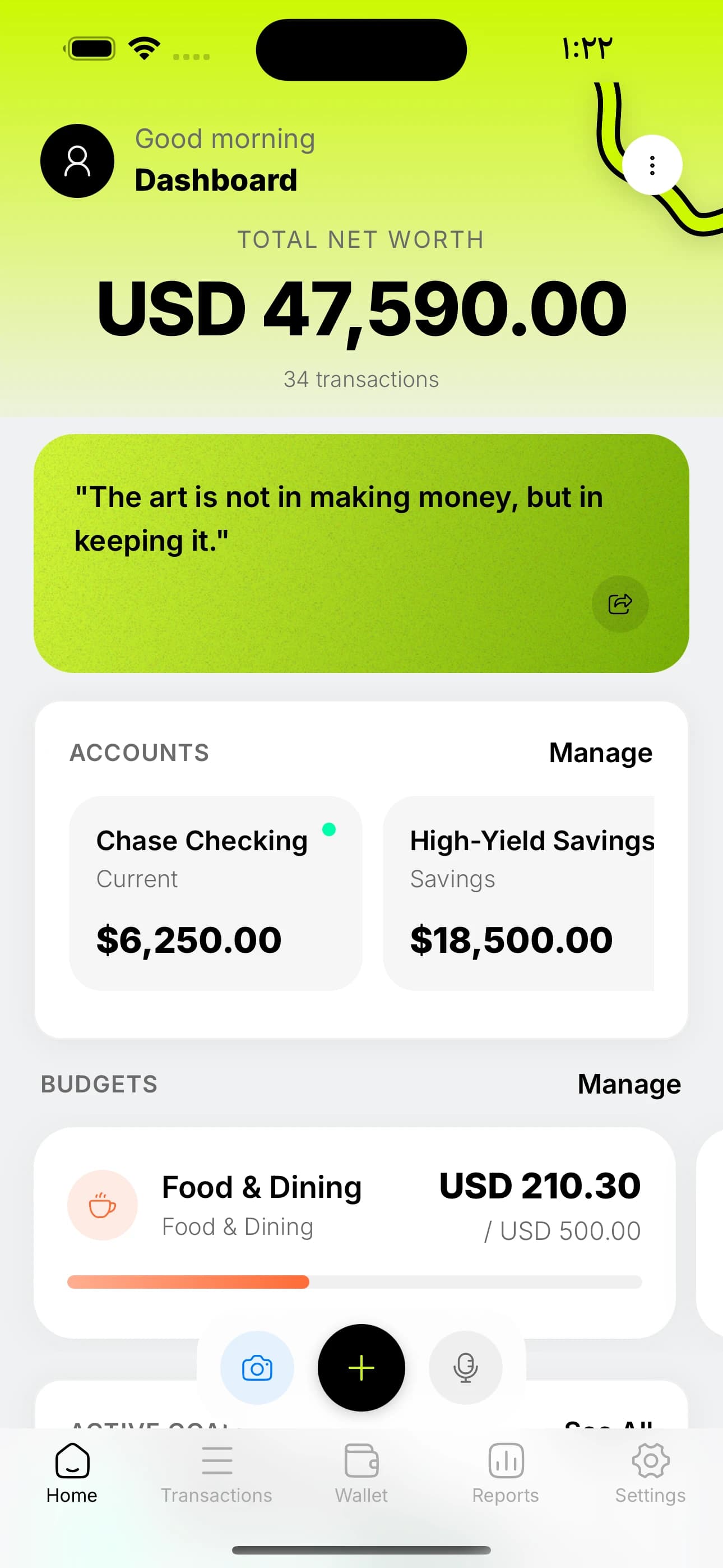
Cashy is, bluntly, the iPhone-first budgeting app that won our 90-day test. We build it, so take that for what it's worth — but here is exactly what we measured, and how the competitors compared.
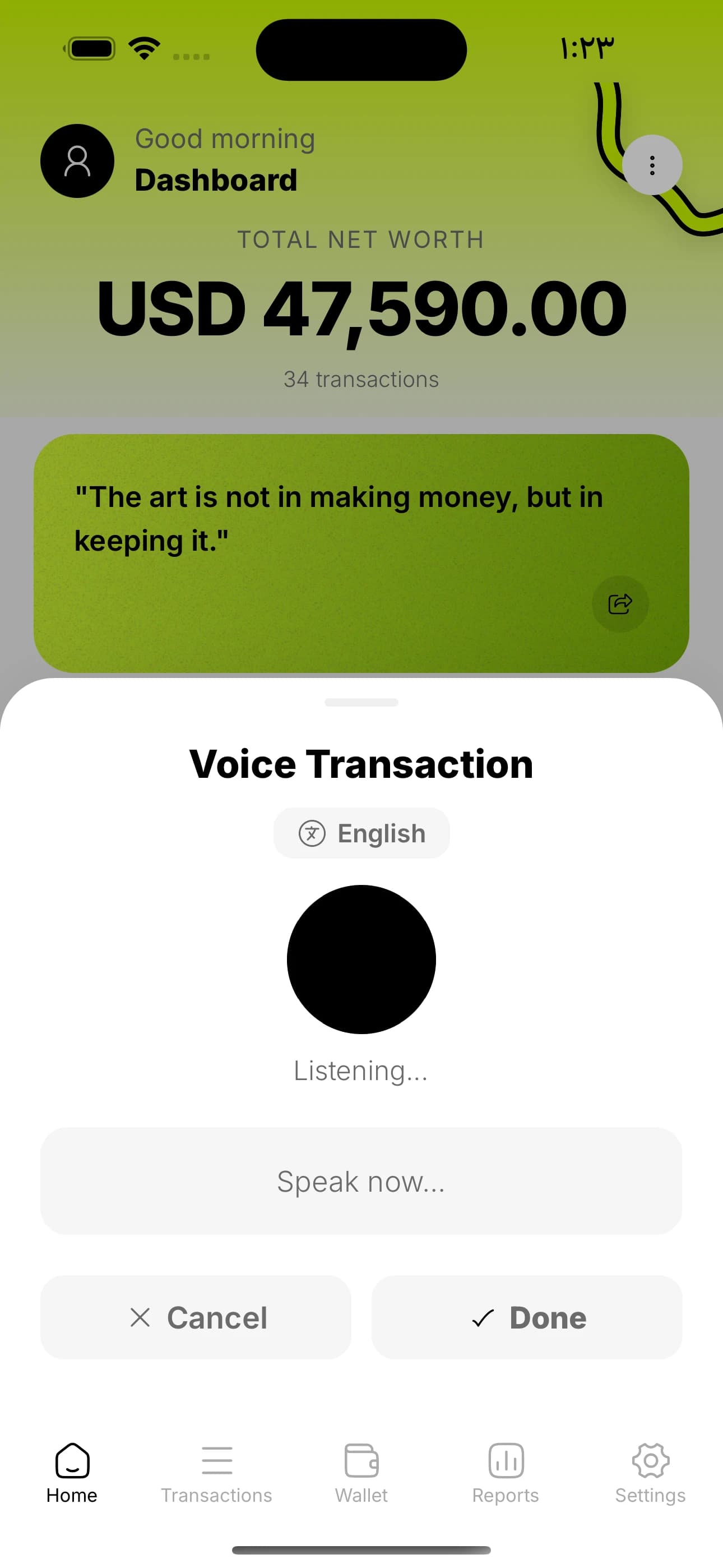
- Transaction entry speed: 3 seconds via voice ('spent 47 on groceries'). Fastest of any app tested.
- Home Screen widgets: 11 types, including net worth, budget progress, goal progress, and daily quote.
- Privacy: All financial data is stored on-device in a SQLite database. No bank linking. No analytics. No ads.
- AI features: Voice entry, receipt scanning, and auto-categorization powered by your own free Gemini API key.
- Multi-currency: 150+ currencies with live exchange rates.
- Price: Free tier is genuinely usable. Premium is $3/month, $30/year, or $60 lifetime.
- Languages: Full English and Arabic (with RTL layout).
The standout feature on iPhone specifically is voice entry. After a week of using it, manually typing a transaction in any other app feels absurdly slow.
Honorable Mentions
A fair 'best iPhone budgeting app' article has to give credit where it's due. Cashy isn't the only good option — it's just the one that fit our criteria best. Here are the other apps worth a serious look:
Copilot Money — Beautiful iOS-native design. Auto-syncs with most US banks. Best choice if you specifically want automatic bank aggregation and you're in the US. Subscription-based. US-only.
YNAB (You Need A Budget) — Not the prettiest on iPhone, but the most opinionated budgeting system. If you want a method, not just a tracker, this is it. Expensive ($99/year), with a real learning curve.
Monarch Money — Web-first, but the iPhone app is capable. Best for households with shared finances.
iOS Numbers / Google Sheets — Still a legitimately good choice for tinkerers. Free. Private. Slow to log entries.
Why iPhone Users Tend to Quit Budgeting Apps
Here's what 90 days of testing made obvious: the #1 reason iPhone users abandon budgeting apps isn't lack of features — it's friction. Every extra tap to log a transaction doubles the chance you quit. Every popup or upsell during onboarding makes you hate the app slightly more. Every login or sync error erodes trust.
The apps that win on iPhone specifically are the ones that respect the platform's values: fast, focused, private, quiet.
Make this real — try Cashy free.
Voice entry, receipt scanning, budgets. No bank linking, no ads.

The 90-Day Test: What Actually Changed
After three months with Cashy as the primary budgeting app (and others running in parallel for comparison), the real-world impact wasn't about the software. It was about the habit.
- Net worth visibility went from 'monthly guess' to 'daily at-a-glance'.
- Transaction logging went from '5 minutes a week of backfill' to '3 seconds per purchase'.
- Subscription audits caught $68/month in forgotten charges — $816/year recovered.
- Monthly grocery overspend dropped by ~$120 just from the awareness of a visible budget bar.
- First-ever weekly review habit stuck, thanks to home-screen widgets making it a natural glance.
Those are the kinds of numbers that compound. Over a year, the combined savings and recovered subscriptions paid for the app roughly 30x over.
How to Choose the Best iPhone Budgeting App for You
Use this 30-second filter:
- If you want privacy, speed, and no bank linking → Cashy.
- If you're in the US and specifically want auto bank sync → Copilot Money.
- If you want a strict zero-based budgeting system → YNAB.
- If you want shared household finance → Monarch.
- If you love spreadsheets and hate subscriptions → Numbers or Google Sheets.
Just Try One for 30 Days
The best iPhone budgeting app is the one you actually open. Pick any app from this list — really any — and use it consistently for 30 days. You'll learn more about your money than you have in the last decade.
If you want the lowest-friction starting point, download Cashy for free and log your first transaction by voice before you put the phone down. It takes 3 seconds. That's all the commitment you need to start.
Frequently asked questions
What is the best budgeting app for iPhone in 2026?
+
After 90 days of side-by-side testing, Cashy is the best budgeting app for iPhone in 2026 for users who value privacy, speed, and a free starting point. Copilot is the strongest paid alternative if you specifically want auto bank sync and are in the US.
Is there a free budgeting app for iPhone that is actually good?
+
Yes. Cashy is the best free budgeting app for iPhone in 2026 — it includes AI voice entry, receipt scanning, 11 home-screen widgets, and full reports on the free tier.
Does the best iPhone budgeting app need bank linking?
+
No. Many of the best iPhone budgeting apps now offer manual or AI-assisted entry because most users prefer not to share bank credentials. Cashy uses 3-second voice entry to replace the speed advantage of bank linking.
What is the best budgeting app for iPhone if I am outside the US?
+
Cashy. Many top US apps (Copilot, Rocket Money) are US-only. Cashy is global, supports 150+ currencies, and works in any country where the App Store is available.
How much does a good iPhone budgeting app cost?
+
Cashy: free or $30/year / $60 lifetime. YNAB: $99/year. Monarch: $99/year. Copilot: ~$95/year. Free tiers exist mostly only on Cashy.
Does iPhone have a built-in budgeting app?
+
No. Apple does not ship a dedicated budgeting app. Apple Wallet shows transactions for Apple Card and Apple Cash but does not budget. A dedicated app like Cashy fills that gap.